Take-home tests are great! All I have to say on this topic is, this is your chance to prove your mettle on your terms.
Nobody watching over your shoulder scrutinizing each thought and line of pseudo-code. No interactive tap-dance like the kind in face to face onsites. You get to iterate, test, pretty-fy, document, and package the hell out of it. Give it all you have.
Why an entire blog post for this? Because it is that valuable in the candidate's interview process and will only grow in favor with hiring teams.
Software Programming Interviews Part 3 - Getting Noticed
Take a look at your resume. A significant part of it lists software projects with technical descriptions. These projects help establish your areas of familiarity or expertise. Do they stand you apart from the crowd? Hint: its a rhetorical question.
All that falling-over-each-other-to-grab-the-coolest-project-at-work - when will it come handy you ask? One word: over-rated!
How about coursera/udemy or other online courses and certifications? Fantastic for self-learning but don't expect to be demonstrating your individual value based on these diplomas.
How about your Linked In profile where hyperbole is the norm? Loaded question, you might say but you get my point.
Does GPA matter? The truth is that its value ages out faster than you think once you graduate.
Let's step back a little bit and absorb the big picture:
The best hiring scenario is where the team has a clear understanding of your value before the face to face. Let this sink in a bit. The onsite face to face must only validate their previous assessment of your value. Dotting the i's and crossing the t's as its called.
The scenario I described poses least frustrations for both the candidate and the hiring team. Fewer surprises and less pressure during the face to face paves the way for starting career relationships rather than managing sweaty palms, beaded foreheads and out-of-the-natural behavior patterns.
So to re-state our problem statement:
How do you stand apart and establish value before the onsite?
Seems impossible, does it? Since I'm feeling generous with hints, here's one more: This bit takes a year or two of work in the least. The good news is that it is never too late to start.
We live in what is called the 'reputation economy'. An entity - in this case you - is associated with a score or 'reputation' that is accrued by being valuable to a crowd. Stack Overflow is the classic example which quantifies how much value you are adding to the community. Reputation could also be qualitative. Speaking at tech conferences, chairing standards working committees, competing in international coding competitions or local hackathons, contributing to open source or maintaining your own, blogging about pet projects, all earn respect. Being published and/or having patents to your name also has a similar effect.
Jump right in - this is your best bet. Be a presence in the public domain as a value-contributor. There are tons of paths to pick from. If you don't know initially where you fit, try many things until you find your thing. Identify your affinity, carve time out of your personal schedule and throw yourself headlong into it. And then make it count.
One final word on your resume since we are on the topic: in the current age where all your career information is published on Linked In, what is the role of the resume? Besides, does it need to be 5, 3 or even 2 pages long? Hint: rhetorical question!!!
All that falling-over-each-other-to-grab-the-coolest-project-at-work - when will it come handy you ask? One word: over-rated!
How about coursera/udemy or other online courses and certifications? Fantastic for self-learning but don't expect to be demonstrating your individual value based on these diplomas.
How about your Linked In profile where hyperbole is the norm? Loaded question, you might say but you get my point.
Does GPA matter? The truth is that its value ages out faster than you think once you graduate.
Let's step back a little bit and absorb the big picture:
The best hiring scenario is where the team has a clear understanding of your value before the face to face. Let this sink in a bit. The onsite face to face must only validate their previous assessment of your value. Dotting the i's and crossing the t's as its called.
The scenario I described poses least frustrations for both the candidate and the hiring team. Fewer surprises and less pressure during the face to face paves the way for starting career relationships rather than managing sweaty palms, beaded foreheads and out-of-the-natural behavior patterns.
So to re-state our problem statement:
How do you stand apart and establish value before the onsite?
Seems impossible, does it? Since I'm feeling generous with hints, here's one more: This bit takes a year or two of work in the least. The good news is that it is never too late to start.
We live in what is called the 'reputation economy'. An entity - in this case you - is associated with a score or 'reputation' that is accrued by being valuable to a crowd. Stack Overflow is the classic example which quantifies how much value you are adding to the community. Reputation could also be qualitative. Speaking at tech conferences, chairing standards working committees, competing in international coding competitions or local hackathons, contributing to open source or maintaining your own, blogging about pet projects, all earn respect. Being published and/or having patents to your name also has a similar effect.
Jump right in - this is your best bet. Be a presence in the public domain as a value-contributor. There are tons of paths to pick from. If you don't know initially where you fit, try many things until you find your thing. Identify your affinity, carve time out of your personal schedule and throw yourself headlong into it. And then make it count.
One final word on your resume since we are on the topic: in the current age where all your career information is published on Linked In, what is the role of the resume? Besides, does it need to be 5, 3 or even 2 pages long? Hint: rhetorical question!!!

Agile Transformation 2015 and the Gartner's Hype Cycle
I urge you to read up on the Gartner Hype Cycle before proceeding.
Let's face it - Agile is on life support and everybody is in denial. Sure, it shook us out of Waterfall complacency. It also handed us a boatload of cool jargon and delivered some but mostly is continuing to painfully disappoint.
This could end in two ways - either discard Agile and pick up the next hot methodology waiting in the wings (antifragility?) or fix Agile ruthlessly to make it work. I am rallying for the latter.
The Agile story for an organization starts with 'Agile Transformation' and truth be told, often never ends because of the chasm between ideal Agile and realized Agile. There is usually no effort to quantitatively measure the progress of the transformation and therefore, this wild-goose chase goes un-noticed.
Here is a simple idea for assessing the success of Agile using the Hype Cycle:
- Deconstruct Agile into its components and garner feedback from the teams on the efficacy of each component.
- Construct the Gartner's Hype Cycle based on this feedback and take a long hard look at where each component stands, and why.
Each organization needs to chart out the Agile Hype Cycle for themselves, using the feedback
received from the early adoption teams or even the mature teams.
What do you do next with this information? For one, confront the Hype and Trough items and assess
how to get creative, and perhaps even deviate some, to push those items towards
the plateau of productivity. This could potentially give Agile a new lease of life.
To demonstrate the Agile Hype Cycle that I recommend for each organization, I went ahead and created one with my understanding of how each aspect in Agile is faring in general:
Gartner's Hype Cycle for Agile 2015*

Agile Components
|
Status
|
Scrum meetings
|
Slope of enlightenment
Teams value this quick daily sync up and have adapted it to their specific needs.
|
Sprints/Demos
|
Slope of enlightenment
Scoping a sprint at a high level and setting goals for that short period is an organized approach to check-pointing progress. Demos are useful for sharing information in a heterogeneous team that works on different projects.
|
Sprint Planning and Burndown
|
Trough of disillusionment
Extremely difficult to predict exact estimates. Can lead to bidding wars for tasks. Updating tasks with burndown is tedium. It constantly reminds the developer of process which is contrary to Agile’s objectives.
|
Backlog Grooming
|
Trough of disillusionment
How much is enough? Is this work product mature for planning and budgeting long lead projects? Unclear.
|
Sprint Retrospective
|
Trough of disillusionment
Influence is limited to the specific cross-functional. Northbound feedback is absent leading to growing chasm between the ‘coaching’ community and the developer's.
|
CI/CD
|
Slope of enlightenment
CI/CD has matured, and is accepted as the de-facto release and deployment model.
|
Iterative Development
|
Peak of hype
Designs for refactoring. Lets sloppy design through. Is expensive over the long term, especially with growing codebase. Less exciting often than developing something new.
|
Technical Debt
|
Peak of hype
Designs in bugs to allow for expedient development. Lets sloppy code through.
|
Agile Roles
|
Trough of disillusionment
Transient roles, each with a learning curve. Some roles overlap with traditional titles like Project Manager or Line Manager. Can lead to tension and confusion due to unclear boundaries of responsibilities. Most organizations aren’t great at mapping these to appraisal goals. Career growth suffers. Accountability is another serious concern with an abundance of roles.
|
Agile Transformation
|
Trough of disillusionment
The ideal Agile implementation always seems beyond reach, leaving the organizations forever in transition.
|
Iterative software development is anything but a new concept. Fred Brooks’ The Mythical Man-Month, first published in 1975, prescribes it. It is beside the point that I wish I lived in a world where Person-Month was the norm; 40 years since this book, it still isn't.
Agile however has a lot of wrappers around the core concept of iterative production/deployment. Agile is a system (or dare I say it, a ‘process’) that although claims to be ‘loose’ and a ‘recommendation’, is followed more fastidiously than Waterfall. I don’t remember Waterfall dictating types of meetings and meeting cadence for a project – at least not in practice. Also, the set of Principles is akin to the Commandments, making it look and feel like a religion. I won’t go down that analogy any further but there is more than one example I can provide of the parallels.
I have been a Product Owner long enough that I have seen the liberation Agile brings and also the colossal costs (for individual and organization) of failure. The ‘retrospectives’ run at individual team level do very little to influence the enterprise-level Agile design and therefore the feedback loop is imperfect, if it exists at all.
Agile has a bunch of good things about it, including a genius name, but it is also extremely flawed. If an organization doesn’t look these flaws in the eye and address them in ways that are very unique to each company, everyone will forever remain in transformation.
I hope for the developer's sake that these discussions start now.
Software Programming Interviews Part 2 - Whatever is 'Culture Fit'!
Part 1 of this series is a perfect segue for this hot button topic - Culture Fit. What is it? Is it a hoax and/or an HR tool to explain away anomalies in hiring patterns? Must you care? How does one prepare for this?
Newsflash - Culture Fit is real whether you like it or not. Yes, it is a much-abused term, and often an easy crutch to explain away hiring biases. However, a 'team' is not an objective, automated entity. A team is only people who work together. When a new hire joins an already successful team, it is that same infamous 'Culture Fit' done right that keeps the team on the success trajectory. Or in a better outcome, even accelerates it.
The way I see it is like so: every team is a 'virtual person'. Every team has one single collective pulse, IQ, ethics, voice and image. By 'collective' I don't mean 'homogenous', rather a common fabric that holds together diversity successfully. It is the Fit with this collective presence that represents to me Culture Fit. The biases play out when consciously or (more likely) sub-consciously a team favors more of the same, or is swayed by stereotypes. If you do sense it and would like to make a change, you are probably most effective in influencing it after you join that team.
Corporate culture has an unstated baseline with collaboration, verbal/written communication, and body language. These lend very easily to conscious preparation which is not merely applicable to interviews but also to day to day work life.
There may be other aspects that you can train yourself for as part of continuous development. How well do you listen? How effective is your questioning and critical thinking? When presented with an alternate proposal or idea, how open are you to evaluating it against your own?
Then there are aspects may be closer to your core personality and harder (but not impossible) to change: What do you do when you hit a wall or draw a blank with a problem? If you want to change this behavior, you have options and now you have to make a choice. That choice may or may not align with the team you are interviewing for.
Do you ask for help and if so, at what point in the problem solving? This again is tied to core personality which reveals tenacity, self-driven-ness and initiative.
I don't intend to present here an exhaustive checklist of behavior patterns and scenarios. And in fact, many of these don't have a right or wrong answer.
Know that Culture Fit is not often consciously tested for in technical interviews. However, a mis-alignment (whether governed by sub-conscious bias or not) quickly gets noticed as a red flag.
Do your research on the company culture and if possible, the team's. Analyze the interviewers carefully to better understand the team culture. Ask questions if needed. If you do want to adapt yourself to the team, understand that you are doing so not just for the interview but for that job role. Finally, be authentic and do not lie!
Newsflash - Culture Fit is real whether you like it or not. Yes, it is a much-abused term, and often an easy crutch to explain away hiring biases. However, a 'team' is not an objective, automated entity. A team is only people who work together. When a new hire joins an already successful team, it is that same infamous 'Culture Fit' done right that keeps the team on the success trajectory. Or in a better outcome, even accelerates it.
The way I see it is like so: every team is a 'virtual person'. Every team has one single collective pulse, IQ, ethics, voice and image. By 'collective' I don't mean 'homogenous', rather a common fabric that holds together diversity successfully. It is the Fit with this collective presence that represents to me Culture Fit. The biases play out when consciously or (more likely) sub-consciously a team favors more of the same, or is swayed by stereotypes. If you do sense it and would like to make a change, you are probably most effective in influencing it after you join that team.
Corporate culture has an unstated baseline with collaboration, verbal/written communication, and body language. These lend very easily to conscious preparation which is not merely applicable to interviews but also to day to day work life.
There may be other aspects that you can train yourself for as part of continuous development. How well do you listen? How effective is your questioning and critical thinking? When presented with an alternate proposal or idea, how open are you to evaluating it against your own?
Then there are aspects may be closer to your core personality and harder (but not impossible) to change: What do you do when you hit a wall or draw a blank with a problem? If you want to change this behavior, you have options and now you have to make a choice. That choice may or may not align with the team you are interviewing for.
Do you ask for help and if so, at what point in the problem solving? This again is tied to core personality which reveals tenacity, self-driven-ness and initiative.
I don't intend to present here an exhaustive checklist of behavior patterns and scenarios. And in fact, many of these don't have a right or wrong answer.
Know that Culture Fit is not often consciously tested for in technical interviews. However, a mis-alignment (whether governed by sub-conscious bias or not) quickly gets noticed as a red flag.
Do your research on the company culture and if possible, the team's. Analyze the interviewers carefully to better understand the team culture. Ask questions if needed. If you do want to adapt yourself to the team, understand that you are doing so not just for the interview but for that job role. Finally, be authentic and do not lie!
Software Programming Interviews Part 1 - Technical Questions
I am in a unique relationship with interviewing currently. To illustrate my point, here is a breakdown of the most recent 5 months in my career:
month 1: Update resume and relevant career sites; search for jobs and apply
months 2 and 3: Interview with fervor
month 4: Negotiate multiple offers, accept one and resign from then current employment
month 5: Join my new team and interview candidates for rest of the reqs at the rate of 3 interviews a week
It is the 5th month of this journey that stands me apart. In almost a continuum, I moved from one side of the interview desk to the other and the perspectives this has endowed me with are priceless.
I am attempting to capture my thoughts and observations in a multi-part blog post starting with this one. I don't plan on posting interview problems to solve and which companies ask what sorts of questions. There are plenty other great places where that information is available.
These are my personal views and do not reflect my employer's. Point to note also is that some aspects are topical or even locational and much is subject to change with various factors that affect hiring and the economy.
I'll start with my pet peeve about technical interviews:
Why *are* the questions book-ish and academic? Why aren't they more relevant to what is applied?
For example: Honest to goodness, I haven't had the need to use AVL trees in my entire career of 15 years of C programming. In the meanwhile, I have extensively used the Patricia Trie, the radix tree, the hash map and doubly linked list. Why then should I go back to the books to refresh on re-balancing of trees and convoluted algorithms for singly linked lists?
The most obvious reasoning is that the favored set of problems stems from foundational CS. So when you are able to convince the hiring team that you have nailed the foundations, there is greater confidence.
Then there are practicalities - the problems must be solvable in a short period of time and general enough to intersect a wide array of domains and expertise. They must be simple enough to help the review process, but complex enough to judge creativity. Makes sense?
I wasn't convinced entirely with these answers. While I plowed along with my interviews in months 2 and 3, a signal started to emerge from the noise. What I discovered may surprise you. Technical interviews - especially the face to face ones - have very little to do with 'coding kung-fu' and a lot to do with personality testing. Just as a body language expert looks for clues in behavior - those 'honest moments' - that reveal uncertainty, truth or lie, the hiring team uses the opportunity to pick up on whether each is able to see a working partnership in the candidate.
The first take away therefore is, an interview is anything but an exam. The hiring process is more analogous to match-making; complex, non-linear and very very personal. All that (often annoying) groundwork with practice problems and textbook refreshers is necessary to start playing but whether you get an offer or not relies a lot more than you think on the person that you are.
And here's another thing: the responsibility of finding that perfect match lies equally on either side of the hiring.
This has huge implications and dictates how you prepare yourself, present yourself and process a hit or a miss. Introspect, get in the shoes of the hiring side, and pay close attention to the 'soft' or 'behavior' aspects. Preparing for behavior questions is a slam dunk one would think but often ignored by the techies. That's low hanging fruit. What will really set you apart is your preparation to present a certain conscious behavior pattern while solving technical problems. Did I mention: introspect!!!
month 1: Update resume and relevant career sites; search for jobs and apply
months 2 and 3: Interview with fervor
month 4: Negotiate multiple offers, accept one and resign from then current employment
month 5: Join my new team and interview candidates for rest of the reqs at the rate of 3 interviews a week
It is the 5th month of this journey that stands me apart. In almost a continuum, I moved from one side of the interview desk to the other and the perspectives this has endowed me with are priceless.
I am attempting to capture my thoughts and observations in a multi-part blog post starting with this one. I don't plan on posting interview problems to solve and which companies ask what sorts of questions. There are plenty other great places where that information is available.
These are my personal views and do not reflect my employer's. Point to note also is that some aspects are topical or even locational and much is subject to change with various factors that affect hiring and the economy.
I'll start with my pet peeve about technical interviews:
Why *are* the questions book-ish and academic? Why aren't they more relevant to what is applied?
For example: Honest to goodness, I haven't had the need to use AVL trees in my entire career of 15 years of C programming. In the meanwhile, I have extensively used the Patricia Trie, the radix tree, the hash map and doubly linked list. Why then should I go back to the books to refresh on re-balancing of trees and convoluted algorithms for singly linked lists?
The most obvious reasoning is that the favored set of problems stems from foundational CS. So when you are able to convince the hiring team that you have nailed the foundations, there is greater confidence.
Then there are practicalities - the problems must be solvable in a short period of time and general enough to intersect a wide array of domains and expertise. They must be simple enough to help the review process, but complex enough to judge creativity. Makes sense?
I wasn't convinced entirely with these answers. While I plowed along with my interviews in months 2 and 3, a signal started to emerge from the noise. What I discovered may surprise you. Technical interviews - especially the face to face ones - have very little to do with 'coding kung-fu' and a lot to do with personality testing. Just as a body language expert looks for clues in behavior - those 'honest moments' - that reveal uncertainty, truth or lie, the hiring team uses the opportunity to pick up on whether each is able to see a working partnership in the candidate.
The first take away therefore is, an interview is anything but an exam. The hiring process is more analogous to match-making; complex, non-linear and very very personal. All that (often annoying) groundwork with practice problems and textbook refreshers is necessary to start playing but whether you get an offer or not relies a lot more than you think on the person that you are.
And here's another thing: the responsibility of finding that perfect match lies equally on either side of the hiring.
This has huge implications and dictates how you prepare yourself, present yourself and process a hit or a miss. Introspect, get in the shoes of the hiring side, and pay close attention to the 'soft' or 'behavior' aspects. Preparing for behavior questions is a slam dunk one would think but often ignored by the techies. That's low hanging fruit. What will really set you apart is your preparation to present a certain conscious behavior pattern while solving technical problems. Did I mention: introspect!!!
CodeChix

I have been a member of CodeChix (CC) for two years now and in this time, volunteered as an organizer and led CC's biggest software project to date called OFconnect. I have also represented CC at a hackathon and four technical conferences. In two years, I have gained experiences in managing software projects, leading a team, driving design ground-up, maintaining open source codebases, organizing tech events, and technical speaking.
I often am asked about CC, what we do and how it has helped. I have put my thoughts together here to share.
Why CC and not another women's society, group or meetup?
In early 2013, I scanned the entire landscape of tech clubs, networking events and meetups with a very specific intent: connect with other women engineers who have similar interests and most importantly, build and make software products together. It didn't take me too long to identify CC as the one and only organization where this was possible. Two years later, this still holds true.
CC also does a great job of keeping the work environment separate from recruitment agencies. As an engineer who wants to focus on learning and inventing, I value this hugely as it preserves the spirit of creativity without distractions.
What has been my experience working with CC members?
The membership base of CC has extremely talented and motivated engineers. This meant that a remarkable team came together for OFconnect and stuck it out to the end. The project promised to be fulfilling from a technical learning point of view but demanding on time and energy; and it delivered on that promise every bit of the way. The hacking sessions were productive, creative and fast paced. The online meetings were focused on unblocking each other's issues, much like scrum meetings. In all, the environment was always positive and collaborative.
On other occasions, I have worked with volunteers in organizing events, creating technical content for workshops, and fundraising. The experience has been one of tremendous learning.
What did I learn from CC?
I picked up a lot of experience with CC that my workplace would otherwise have taken quite a bit longer to make available for the grabbing and in some cases, forever. This is fact. I have listed above the range of responsibilities I have been able to explore in two short years. The problem-solving along the way for achieving each target big or small - that's where the joy and the growth lie.
Engage with CC and you'll be surprised how many opportunities you get to explore your interests and potential; be it in the technical sphere or administrative. If you like hands-on learning in a nothing-but-supportive environment, jump right in! All you need is initiative and drive.
How has CC helped my career?
With CC, I am constantly engaging with technology as a hobby and with also other individuals who thrive on it. This has had a direct positive influence on my motivation levels at my career.
CC has helped me keep up with new technologies in a very hands-on way. Be it Openstack, Raspberry Pi, Glass or Arduino. Be it SDN or Python.
And finally, CC makes it possible to bring new ideas to the table and realize them. Just as long as the ideas corroborate CC's mission and vision, the sky is the limit for new technical projects or events.
My work with CC has helped concretely demonstrate to my employer my motivation, initiative and drive, which directly translates to the value I bring to my job. This to me is victory.
Technology moves and fast too. The process of learning and growth is a continuous one and often an accelerating one in order to keep contributing and excelling. CC is a powerful enabler in this journey.
LCA 2015 - Day 1 Clouded Over by Containers
The miniconf on Clouds, Containers and Orchestration was extremely well attended!
Today's conference was marked by the over-abundant use of one word - 'container'. The container has taken the VM universe by storm and how! And now that you have LXC containers, you need to be able to manage them, migrate them, snapshot them, package them, cluster them, multiplex them and so forth. Enter a slew of solutions, some competing directly against others, and the rest with some degree of overlap.
Btw, second only to 'container' was 'docker'.
Here's a roadmap of sorts:
Google's kubernetes clusters containers.
CoreOS's rocket is an alternative to docker.
OpenShift is a smoothie of containers, docker, kubernetes, atomic and other ingredients.
Then there Mesos for clustering and HAProxy for load balancing.
Tomorrow's flavor is looking a lot like OpenStack.
In the meanwhile, a snippet of the Maori Welcome at today's start of conference:
Today's conference was marked by the over-abundant use of one word - 'container'. The container has taken the VM universe by storm and how! And now that you have LXC containers, you need to be able to manage them, migrate them, snapshot them, package them, cluster them, multiplex them and so forth. Enter a slew of solutions, some competing directly against others, and the rest with some degree of overlap.
Btw, second only to 'container' was 'docker'.
Here's a roadmap of sorts:
Google's kubernetes clusters containers.
CoreOS's rocket is an alternative to docker.
OpenShift is a smoothie of containers, docker, kubernetes, atomic and other ingredients.
Then there Mesos for clustering and HAProxy for load balancing.
Tomorrow's flavor is looking a lot like OpenStack.
In the meanwhile, a snippet of the Maori Welcome at today's start of conference:
RC filters and OpAmps (remember those?)
I tested a simple circuit with a low pass RC filter on a 2Hz pulse circuit.

Vout = Vin (1 - exp ^ (-t/RC))
Couldn't get simpler. The Vout was input to AnalogIn of the LPC1768 for ADC conversion. As expected, it was reading intermediate values. (ADC on the pulse was reading only zeros or 1s.) Great! For lack of a respectful oscilloscope, I made do with this test result.
Now to the drawing board.
What could change here to accomodate for a small capacitance value of the sensor (in place of the 470uF)?
1. The reactance of the capacitor is inversely proportional to the input frequency. So to bring that down, I have to increase frequency of the input pulse. 2kHz? 10MHz? Somewhere in between?
2. The capacitance is seemingly low. I ran some simulations on circuitlab (in demo mode) and unfortunately do not have the plots saved. Fortunately though, I quickly made a note of the change in output for different capacitance values.
Vin - pulse of 3.3V, 2MHz
R1 - 100Kohms
Vout max for C1 at 1pF - 2.74V
Vout max for C1 at 5pF - 1V
Vout max for C1 at 10pF - 500mV
3. At this point, since my sensor is un-calibrated, I do not know the min and max capacitance values, changed by soil moisture. In the worst case, it is smaller than 10pF, making it a bit obvious that I now need to design in voltage amplifiers.
Enter OpAmps!!!!!!
Next iteration of this design process will include 2 opamps; one for amplification and the other as voltage follower for reducing output impedance.
A full weekend into this, I am now almost ready to spend on a good simulator. Please leave your suggestions in the comments. I loved circuitlab for the duration I used it - super quick and easy to simulate - but I am not a power user and am loathe to spend that cash on it.
Update: I have bought a month's worth of circuitlab and am loving it.
Couldn't get simpler. The Vout was input to AnalogIn of the LPC1768 for ADC conversion. As expected, it was reading intermediate values. (ADC on the pulse was reading only zeros or 1s.) Great! For lack of a respectful oscilloscope, I made do with this test result.
Now to the drawing board.
What could change here to accomodate for a small capacitance value of the sensor (in place of the 470uF)?
1. The reactance of the capacitor is inversely proportional to the input frequency. So to bring that down, I have to increase frequency of the input pulse. 2kHz? 10MHz? Somewhere in between?
2. The capacitance is seemingly low. I ran some simulations on circuitlab (in demo mode) and unfortunately do not have the plots saved. Fortunately though, I quickly made a note of the change in output for different capacitance values.
Vin - pulse of 3.3V, 2MHz
R1 - 100Kohms
Vout max for C1 at 1pF - 2.74V
Vout max for C1 at 5pF - 1V
Vout max for C1 at 10pF - 500mV
3. At this point, since my sensor is un-calibrated, I do not know the min and max capacitance values, changed by soil moisture. In the worst case, it is smaller than 10pF, making it a bit obvious that I now need to design in voltage amplifiers.
Enter OpAmps!!!!!!
Next iteration of this design process will include 2 opamps; one for amplification and the other as voltage follower for reducing output impedance.
A full weekend into this, I am now almost ready to spend on a good simulator. Please leave your suggestions in the comments. I loved circuitlab for the duration I used it - super quick and easy to simulate - but I am not a power user and am loathe to spend that cash on it.
Update: I have bought a month's worth of circuitlab and am loving it.
Programming Languages - which one is your favorite?
 |
| Source: http://spectrum.ieee.org/static/interactive-the-top-programming-languages |
Talking about favorites, mine is by far C. It is fast, efficient and great for embedded systems. I know, at the cost of OOP advantages.
What I like about Python is that it is not half as esoteric as Perl and yet claimed to be very extensible. I don't know as my use of Py so far has been limited, without really testing its capabilities.
The indenting annoys me. Really? Indented programming in the 21st century?
The best part of Python if you ask me is that it uses C for optimized code in its libraries. So there you have it, a great marriage between raw performance and useability. Notwithstanding the fact that Py also lends OOPability. I may have just created a new word - OOPability.
Okay, I relent. The winner of this beauty contest is Python.
Capacitive Sensing Irrigation

The idea: Moisture sensors with mesh networking talk to a main sprinkler-valve controller. Familiar enough.
The twist? Home-made capsense moisture sensors. Super excited about these. Moisture sensors cost a ton. The typical hand-made sensor uses 2 galvanized nails and is resistive. Nails corrode over time and among other problems, require frequent re-calibration. Enter: capsense using a PCB. Terrific idea and most of all, I'll get to play with raw capacitive sensing!
For the test circuit, I will be hard-wiring it up. As the next step, the mesh network sounds like a great idea for sensors to talk to the controller.
For the controller, I'm using a robotics microcontroller - the NXP mbed LPC 1768. The really cool bit is that code compiles online and generates a .bin. To run this on the target, I just need to drop the .bin in its file system and reset the micro-controller. Love it!
Terminal connectivity to mbed: https://mbed.org/handbook/Terminals
For example: screen /dev/tty.usbmodem1412
So far:
- Controller: I ran the hello world program on mbed for blinking of LED1 and also a test of analog input.
- Sensor: Made a 555 pulse generator of 2Hz frequency with (a different) led blinking and connected the moisture sensor to this to create high-pass filter to modulate the output pulse-width. (I will post the circuit diagram on github once it is tested and ready.)
Pan and Tilt kit on its way
I just ordered a pan and tilt system from ServoCity - the SPT100. It can carry up to 10 ounces in weight, which should be sufficient for a bulb (even the smart ones) and a socket.
I intend to use this to control the direction of a light bulb, as opposed to the more typical uses such as camera or airplane. The SPT100 can be hung upside down per spec - exactly what I need!
The project will be developed in phases:
1. Start with one pan & tilt and write/test code to control it using raspberry pi with a servo controller if necessary.
2. Separately plan/design the bulb dimming and color control. Do I:
4. Scale: What if I wanted 6 bulbs in a room, all individually controlled by the pi?
5. Installation planning: Track lighting system is one possibility to explore
I intend to use this to control the direction of a light bulb, as opposed to the more typical uses such as camera or airplane. The SPT100 can be hung upside down per spec - exactly what I need!
The project will be developed in phases:
1. Start with one pan & tilt and write/test code to control it using raspberry pi with a servo controller if necessary.
2. Separately plan/design the bulb dimming and color control. Do I:
- use a packaged solution - such as the super expensive and feature-rich Philips Hue - or
- design a limited version myself (good enough for a garage) with a cheaper RGBW led bulb
4. Scale: What if I wanted 6 bulbs in a room, all individually controlled by the pi?
5. Installation planning: Track lighting system is one possibility to explore
Light Automation
Objectives:
Control lighting in the room using raspberry pi. A set of bulbs must be programmable for task lighting, to mood lighting. If dance-floor effect is possible with the spot-light capability of the bulbs, synthesized light effects are a plus.
Must haves:
- RGBW dimmable LED bulbs
- Brightness to meet task lighting and mood
- Swivel control of the bulb socket
- Programmability of lights and swivel with python
Research so far has dragged up:
- Bulbs: Philips Hue as the winner for programmable bulbs but LIFX and Belkin follow close on its heels if 16 million colors is not a criterion
- Other options include LIFX, belkin, LG, Samsung, Lumen
- Robotics solution for swivel: Also called pan and tilt
- Uses 2 servos, one generic for pan and the other specialized for tilt
- Track lighting systems for mounting several bulbs
- Controller board for each pan-tilt assembly which talks to the pi using a wireless technology
A note on the network technologies:
- Bridge is on the internet using wifi
- Hue and its friends talk to the bridge using Zigbee
- There is no bridge zigbee API available for adding custom devices - walled garden
Other smart bulbs connect to the link/bridge using Bluetooth LE. Bluetooth LE is a PAN technology with a span of a few meters whereas Zigbee is a LAN and covers the entire house.
PiDoorbell: IoT Home Automation workshop @ PyCon 2014
PiDoorbell: Automates sense-and-notify when someone arrives at the doorstep. A picture or video is sent directly to the configured phone as a text message almost instantaneously. This is an Internet of Things project created by Rupa Dachere, Founder and Executive Director of CodeChix.org.

A Raspberry Pi, an echo sensor, a camera, a couple of resistors and wifi connectivity is all you need to build your own PiDoorbell. Well, that and some Python code.
In April 2014, I was a TA and Instructor for a workshop on PiDoorbell at PyCon in Montreal. (A link each to the tutorial video and source code is at the bottom of the page.) The objective of the tutorial was to bring up the hardware kit provided to each participant to successfully sense an object, and click a picture or video.

Over 20 folks were at the workshop and the TAs were on their feet helping everyone. I instructed the class on network setup on Raspbian with different ways of connecting to the network and helped bring up network connectivity via internet sharing from the laptop, via direct ethernet connection and also wifi hot spot access. To tide over the spotty wifi access, I had set up our own access point router fed from intenet sharing from my Mac, which in turn was connected to PyCon's wifi access.

Here is the full team of TAs and Instructors:

PiDoorbell at PyCon 2014 was a huge success! The preparation for this workshop was intense in the weeks preceding the event and it was great fun watching it unfold and consumed eagerly by participants.


Workshop video: https://www.youtube.com/watch?v=i62piPQkUtA
Python source for the project: https://github.com/CodeChix-OpenSource/PiDoorbell
CodeChix post: http://www.codechix.org/2014/05/pycon-2014-pidoorbell-tutorial/
Rupa's blog post: http://rupadachere.blogspot.com/2014/06/recap-of-pycon-and-pidoorbell-tutorial.html
Lyz's blog post: http://princessleia.com/journal/?p=9314
A Raspberry Pi, an echo sensor, a camera, a couple of resistors and wifi connectivity is all you need to build your own PiDoorbell. Well, that and some Python code.
In April 2014, I was a TA and Instructor for a workshop on PiDoorbell at PyCon in Montreal. (A link each to the tutorial video and source code is at the bottom of the page.) The objective of the tutorial was to bring up the hardware kit provided to each participant to successfully sense an object, and click a picture or video.
Over 20 folks were at the workshop and the TAs were on their feet helping everyone. I instructed the class on network setup on Raspbian with different ways of connecting to the network and helped bring up network connectivity via internet sharing from the laptop, via direct ethernet connection and also wifi hot spot access. To tide over the spotty wifi access, I had set up our own access point router fed from intenet sharing from my Mac, which in turn was connected to PyCon's wifi access.
Here is the full team of TAs and Instructors:
PiDoorbell at PyCon 2014 was a huge success! The preparation for this workshop was intense in the weeks preceding the event and it was great fun watching it unfold and consumed eagerly by participants.
Workshop video: https://www.youtube.com/watch?v=i62piPQkUtA
Python source for the project: https://github.com/CodeChix-OpenSource/PiDoorbell
CodeChix post: http://www.codechix.org/2014/05/pycon-2014-pidoorbell-tutorial/
Rupa's blog post: http://rupadachere.blogspot.com/2014/06/recap-of-pycon-and-pidoorbell-tutorial.html
Lyz's blog post: http://princessleia.com/journal/?p=9314
Maker Faire 2014 update
In the meanwhile, I was at PyCon 2014 in Montreal as a co-instructor and TA for PiDoorbell. More about it another day but today was Maker Faire. No pics in this post - I mean business. :P A quick report on my exploration follows.
Interesting products for developers:
1. spark core - wifi on board (but no mesh), compatible with arduino
2. pinoccio - home automation kit of boards - one with wifi and rest with atmel's mesh
3. ply90 - which also made my favorites list last year
4. NASA's phonesat - an android phone, extra batteries and a couple of add-on sensors make this cubesat work
5. electric imp - an IoT (Internet of Things) solution that boasts of - wait for it - a cloud
6. Qfusion - a programmable invention platform currently being designed and seeking funding
Apart from this, I saw plain old FPGA being re-branded as 'hardware you can program as opposed to software that runs sequentially line by line'.
Among the products on exhibition were a few that caught my attention:
1. Braigo - a braille printer using Lego Mindstorms and very little else, created by Shubham Banerjee, a 12 year old from Santa Clara
2. inet2DVR - a home automation system built on top of a security recorder
3. Lil Bot - a robot for kids to learn programming on, with a web interface much like Scratch's except for hardware i/o blocks
And did I mention the robots? :) All this just in the expo hall. I did not venture into the Startup Space.
Some observations: 3d printers were not the major attractions. Infact, I only saw a booth or two with printers on display, unlike the endless aisles of 2013. The open expo hall layout this year was far superior to last time's tiny booths. And believe it or not, I can swear I saw a bigger crowd today than before. Maker Faire's strategy of affordable family tickets for Sunday is cleary a huge success. According to this, 2013 had 44% first-time attendees and half of all attending with children. The event is an incredible experience where tech and fun coexist in the real sense, endorsed heavily by enthusiastic participation by families with young children. How young you ask? Sitting next to me on Caltrain was a mom with a 2.5 month old, returning from the Faire. I kid you not! That's Maker Faire's true success, if you ask me.
Interesting products for developers:
1. spark core - wifi on board (but no mesh), compatible with arduino
2. pinoccio - home automation kit of boards - one with wifi and rest with atmel's mesh
3. ply90 - which also made my favorites list last year
4. NASA's phonesat - an android phone, extra batteries and a couple of add-on sensors make this cubesat work
5. electric imp - an IoT (Internet of Things) solution that boasts of - wait for it - a cloud
6. Qfusion - a programmable invention platform currently being designed and seeking funding
Apart from this, I saw plain old FPGA being re-branded as 'hardware you can program as opposed to software that runs sequentially line by line'.
Among the products on exhibition were a few that caught my attention:
1. Braigo - a braille printer using Lego Mindstorms and very little else, created by Shubham Banerjee, a 12 year old from Santa Clara
2. inet2DVR - a home automation system built on top of a security recorder
3. Lil Bot - a robot for kids to learn programming on, with a web interface much like Scratch's except for hardware i/o blocks
And did I mention the robots? :) All this just in the expo hall. I did not venture into the Startup Space.
Some observations: 3d printers were not the major attractions. Infact, I only saw a booth or two with printers on display, unlike the endless aisles of 2013. The open expo hall layout this year was far superior to last time's tiny booths. And believe it or not, I can swear I saw a bigger crowd today than before. Maker Faire's strategy of affordable family tickets for Sunday is cleary a huge success. According to this, 2013 had 44% first-time attendees and half of all attending with children. The event is an incredible experience where tech and fun coexist in the real sense, endorsed heavily by enthusiastic participation by families with young children. How young you ask? Sitting next to me on Caltrain was a mom with a 2.5 month old, returning from the Faire. I kid you not! That's Maker Faire's true success, if you ask me.
Mystery of the Shared Library - Solved!
The first technical problem to solve for the ONF submission was figuring out the naming and compiling of a shared library. The second was to link it with the application (SDN controller).
The secret sauce is the Makefile. Below are the instructions. The complete code is available here. Go ahead and test it out.
1. The naming: These names have very specific use while installing the library. Take notice.
major version: Anytime the API changes, the major version needs to increment. Numbering starts at zero.
minor version: Any upgrades to the library that does not have API changes increments the minor version. Numbering starts at zero.
name: Pick the name you want to be used in the -l switch when linking this with the application.
In the github example, this is smalle.
library name: lib<name>.so
In the github example, this is libsmalle.so.
soname: lib<name>.so.<major ver>
In the github example, this is libsmalle.so.0
real name: lib<name>.so.<major ver>.<minor ver>
In the github example, this is libsmalle.so.0.0.
The library is compiled to create a file with the real name. The soname and library names are symlinks created at the time of installing the library.
2. GCC flags:
Sources are compiled to object files using CFLAGS with gcc. The must-have CFLAGS for a shared library are:
CFLAGS := -fPIC -Wl,-export-dynamic
fPIC - generates position independent code.The alternative is fpic which is not supported on all platforms.
-Wl,-export-dynamic - passes the export-dynamic flag to linker. This is required to support callbacks in the library.
3. Installing the library:
4. Linking to the library:
The secret sauce is the Makefile. Below are the instructions. The complete code is available here. Go ahead and test it out.
1. The naming: These names have very specific use while installing the library. Take notice.
major version: Anytime the API changes, the major version needs to increment. Numbering starts at zero.
minor version: Any upgrades to the library that does not have API changes increments the minor version. Numbering starts at zero.
name: Pick the name you want to be used in the -l switch when linking this with the application.
In the github example, this is smalle.
library name: lib<name>.so
In the github example, this is libsmalle.so.
soname: lib<name>.so.<major ver>
In the github example, this is libsmalle.so.0
real name: lib<name>.so.<major ver>.<minor ver>
In the github example, this is libsmalle.so.0.0.
The library is compiled to create a file with the real name. The soname and library names are symlinks created at the time of installing the library.
2. GCC flags:
Sources are compiled to object files using CFLAGS with gcc. The must-have CFLAGS for a shared library are:
CFLAGS := -fPIC -Wl,-export-dynamic
fPIC - generates position independent code.The alternative is fpic which is not supported on all platforms.
-Wl,-export-dynamic - passes the export-dynamic flag to linker. This is required to support callbacks in the library.
The object files are linked to final library ELF with 'real name' as the filename. GCC with LDFLAGs achieve this. The necessary LDFLAGS for a shared library are:
LDFLAGS := -shared -Wl,-soname,$(SONAME)
3. Installing the library:
Copy the shared library file to /usr/local/lib and run ldconfig to install it. Add the path /usr/local/lib to environment variable LD_LIBRARY_PATH. Copy the library header to /usr/local/include.
4. Linking to the library:
Compile the application with -l<name> and -I/usr/local/include.
Make sure you #include the header in the application code.
http://tldp.org/HOWTO/Program-Library-HOWTO/shared-libraries.html
Make sure you #include the header in the application code.
Reference:
http://tldp.org/HOWTO/Program-Library-HOWTO/shared-libraries.html
Volunteering for littleBits at Maker Faire San Mateo 2013
On a wholly different note, I was at the Maker Faire Bay Area this year, volunteering for a little company with little products that I am a huge fan of - littleBits.
 LittleBits are building blocks with electronic circuits for sensors, motors, connectors, and logic that attach with magnets to create larger circuits. What a fun day that was - imagine getting to tinker with every type of 'bit' and even the prototypes while demo'ing them to kids of all ages!
 The Eagle files for all littlebits are open sourced on github.


Git and Github - setup, workflow and learnings
Git has arrived and is here to stay. The learning curve is steep and frustrating. But the results are rewarding to say the least. I transitioned not too long ago from the simplicity (and accompanying inflexibility) of CVS. I can even hear myself groaning at the cruel change in terminology (commit is local... aaargh) and no direct means of applying CVS concepts in git. Sidenote: do not bother looking for git equivalence of CVS commands. I groaned until the moment I saw light.
The CodeChix ONF driver project collaboration would not have been easy without the power of git. But git in itself wasn't sufficient for our purposes - we also needed an online hosting service for the repository. We chose github.
Github has additional mechanism defined to manage collaboration in its hosted service which can be yet another source of frustration if not understood well - more on that later.
Specifically, we extensively used these features:
1. Fork
2. Pull request for codereview and merge
3. Pull from 'upstream'
The alternative to the above workflow is to clone directly from the project and push directly into it. I did not favor this approach as it does not allow for an intermediate step of reviewing the code. Pull requests are built for code reviews and explicit merges by the repo manager.
Here's the setup in great detail:
1. The main repo has a topic branch (called 'dev-onf-driver') apart from the master. This main repo with its 2 branches is our 'upstream'. You can set one or the other as the 'default' branch via the online github interface.
2. Fork - also executed online - creates a copy of the upstream in the collaborator's online github account. This is the collaborator's 'origin' and has both the branches.
3. git clone <path to origin>
Each collaborator clones the origin to their local development machine.
4. git checkout -b <branch name> --track <remote branch>
This step is necessary to clone any additional branches from the origin. The names/paths of all remote branches are listed in 'git branch -a'
5. git remote add upstream <path to upstream>
Necessary for pulling latest changes from upstream. The upstream (as noted in #1 above) is the main repo to which all collaborators will merge their changes via pull requests.
This completes the setup.
The typical workflow with this setup is:
1. Merging changes to upstream:
Each collaborator does the following to merge to upstream:
a. A series of 'git commit' followed by 'git push' when ready to merge. The changes are now updated in the collaborator's 'origin'.
b. Login to online origin repo and start a 'pull request'. Edit the repo:branch combination to select the correct upstream and the correct origin branch. After confirming the changes displayed on the page, initiate the pull request.
2. Codereview:
Every time a pull request is generated, it gives the opportunity to the other collaborators to review and comment on the code. The pull request can be cancelled or updated with changes.
3. Merge to upstream:
Once the codereview is complete, the pull request is merged to upstream.
4. Pull changes to all collaborators' repos:
git pull upstream <branch name>
eg: git pull upstream dev-onf-driver
This is possible only after stashing or committing the changes in the repo. Once the local repos are updated, the origin needs to be also brought in sync with the upstream by:
git push
Our experiences:
1. Pull requests are *not* very intuitive. The pull in this context refers to pulling a merge branch. Pull in other git context refers to updating local repos with code from upstream. Getting pull request right in concept and in practice is a struggle and cause for many a mistake.
2. Collaborative merge permissions can be dangerous. It is best for the merges (from pull request) to be controlled by one owner. It is terribly easy to pull-req/merge with incorrect base and origin branches/repos. Reverting this is not as easy.
3. The only one way to update the online 'origin' repo is by doing a 'git pull upstream <branch>' followed by git push. There is no online mechanism to achieve that. This can be annoying but if the workflow is strictly established for changes to travel in uni-direction, this is not a problem. In our chase, the graph-edges were always uni-directional. upstream -> local -> origin -> upstream
4. git push to upstream. Like all things git, this too is possible but in a workflow like ours, dreaded!
What we may change next time:
Evaluate other means of codereview. Gerrit and Jenkins will be tested out for ease of use and cost. Pull requests are cause of many lost hours of productivity and will be avoided if possible.
The CodeChix ONF driver project collaboration would not have been easy without the power of git. But git in itself wasn't sufficient for our purposes - we also needed an online hosting service for the repository. We chose github.
Github has additional mechanism defined to manage collaboration in its hosted service which can be yet another source of frustration if not understood well - more on that later.
Specifically, we extensively used these features:
1. Fork
2. Pull request for codereview and merge
3. Pull from 'upstream'
The alternative to the above workflow is to clone directly from the project and push directly into it. I did not favor this approach as it does not allow for an intermediate step of reviewing the code. Pull requests are built for code reviews and explicit merges by the repo manager.
Here's the setup in great detail:
1. The main repo has a topic branch (called 'dev-onf-driver') apart from the master. This main repo with its 2 branches is our 'upstream'. You can set one or the other as the 'default' branch via the online github interface.
2. Fork - also executed online - creates a copy of the upstream in the collaborator's online github account. This is the collaborator's 'origin' and has both the branches.
3. git clone <path to origin>
Each collaborator clones the origin to their local development machine.
4. git checkout -b <branch name> --track <remote branch>
This step is necessary to clone any additional branches from the origin. The names/paths of all remote branches are listed in 'git branch -a'
5. git remote add upstream <path to upstream>
Necessary for pulling latest changes from upstream. The upstream (as noted in #1 above) is the main repo to which all collaborators will merge their changes via pull requests.
This completes the setup.
The typical workflow with this setup is:
1. Merging changes to upstream:
Each collaborator does the following to merge to upstream:
a. A series of 'git commit' followed by 'git push' when ready to merge. The changes are now updated in the collaborator's 'origin'.
b. Login to online origin repo and start a 'pull request'. Edit the repo:branch combination to select the correct upstream and the correct origin branch. After confirming the changes displayed on the page, initiate the pull request.
2. Codereview:
Every time a pull request is generated, it gives the opportunity to the other collaborators to review and comment on the code. The pull request can be cancelled or updated with changes.
3. Merge to upstream:
Once the codereview is complete, the pull request is merged to upstream.
4. Pull changes to all collaborators' repos:
git pull upstream <branch name>
eg: git pull upstream dev-onf-driver
This is possible only after stashing or committing the changes in the repo. Once the local repos are updated, the origin needs to be also brought in sync with the upstream by:
git push
Our experiences:
1. Pull requests are *not* very intuitive. The pull in this context refers to pulling a merge branch. Pull in other git context refers to updating local repos with code from upstream. Getting pull request right in concept and in practice is a struggle and cause for many a mistake.
2. Collaborative merge permissions can be dangerous. It is best for the merges (from pull request) to be controlled by one owner. It is terribly easy to pull-req/merge with incorrect base and origin branches/repos. Reverting this is not as easy.
3. The only one way to update the online 'origin' repo is by doing a 'git pull upstream <branch>' followed by git push. There is no online mechanism to achieve that. This can be annoying but if the workflow is strictly established for changes to travel in uni-direction, this is not a problem. In our chase, the graph-edges were always uni-directional. upstream -> local -> origin -> upstream
4. git push to upstream. Like all things git, this too is possible but in a workflow like ours, dreaded!
What we may change next time:
Evaluate other means of codereview. Gerrit and Jenkins will be tested out for ease of use and cost. Pull requests are cause of many lost hours of productivity and will be avoided if possible.
200
Nervous and excited, we clicked the Submit button at 9:05PM on Sunday. Our code is being reviewed by judges of the ONF driver competition as I write this!!!
Through the day we wrote up documentation, cleaned up code, debugged One Last Bug (more on that later), wrote test plan results, and put together miscellaneous submission documentation.
And we celebrated! Thanks entirely to Rupa, The Awesomest, who secretly planned the celebration for months, we learnt later. Champagne, cake, photo shoot.. I drift..
More on One Last Bug:
Our target was to pull together the submission folder at 4PM, do final reviews, one last test run of the SDN controller and submit at 5. All went well. Until the final test run. There was that One Last Bug, staring right at us. The test was running fine all the way till the very final step of cleanup and then failing on a mutex lock. Horrors - a synchronization issue!! Panic. Adrenaline.
It took 2 of us 3 hours to exterminate that one. A mutex lock was kicking in *after* that mutex was cleared and ofcourse failing on invalid argument. Ofcourse! But hours to the submission deadline, such things are not that obvious at all.
One Last Bug, we got you too!
Back to the title of this post. 200. We couldn't have planned this!

Through the day we wrote up documentation, cleaned up code, debugged One Last Bug (more on that later), wrote test plan results, and put together miscellaneous submission documentation.
And we celebrated! Thanks entirely to Rupa, The Awesomest, who secretly planned the celebration for months, we learnt later. Champagne, cake, photo shoot.. I drift..
More on One Last Bug:
Our target was to pull together the submission folder at 4PM, do final reviews, one last test run of the SDN controller and submit at 5. All went well. Until the final test run. There was that One Last Bug, staring right at us. The test was running fine all the way till the very final step of cleanup and then failing on a mutex lock. Horrors - a synchronization issue!! Panic. Adrenaline.
It took 2 of us 3 hours to exterminate that one. A mutex lock was kicking in *after* that mutex was cleared and ofcourse failing on invalid argument. Ofcourse! But hours to the submission deadline, such things are not that obvious at all.
One Last Bug, we got you too!
Back to the title of this post. 200. We couldn't have planned this!

Sneak Peek - T minus 2
Friday came and went and we got so buried into the submission work that this post almost didn't happen until Ramya - the rockstar coder of our team - made a mention.
So where are we?
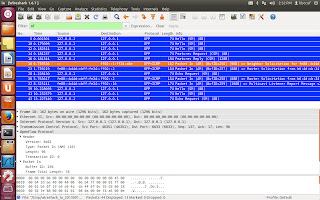
The first hello packet is now received by the controller and a hello reply sent out. It's alive!!!!
Some interesting challenges we have been working on:
1. lots of zero sized packets received on sockets - what is the source? are these tcp control packets and if so, why are they punted up? often, read_len is zero even with valid message in the buffer.
2. a change in version of library make the .so suddenly unusable by the application. Why? This is the suspicious diff:
edeedhu@ubuntu:~/edeedhu-git/CC-ONF-driver$ git diff Makefile
diff --git a/Makefile b/Makefile
index fbd20f4..432766f 100644
--- a/Makefile
+++ b/Makefile
@@ -3,7 +3,7 @@ CC := gcc
LDFLAGS := -shared
LIBS := $(shell pkg-config --libs glib-2.0)
RM := rm -f
-MAJOR_VERSION := 0
+MAJOR_VERSION := 1
MINOR_VERSION := 0
3. what is a good method to manually do a static analysis for synchronization? Here's what I came up with - xml style markeup to follow different codepaths and track locking/unlocking of mutexes. How would you have done it?

Now on to some gdb work.
So where are we?
The first hello packet is now received by the controller and a hello reply sent out. It's alive!!!!
Some interesting challenges we have been working on:
1. lots of zero sized packets received on sockets - what is the source? are these tcp control packets and if so, why are they punted up? often, read_len is zero even with valid message in the buffer.
2. a change in version of library make the .so suddenly unusable by the application. Why? This is the suspicious diff:
edeedhu@ubuntu:~/edeedhu-git/CC-ONF-driver$ git diff Makefile
diff --git a/Makefile b/Makefile
index fbd20f4..432766f 100644
--- a/Makefile
+++ b/Makefile
@@ -3,7 +3,7 @@ CC := gcc
LDFLAGS := -shared
LIBS := $(shell pkg-config --libs glib-2.0)
RM := rm -f
-MAJOR_VERSION := 0
+MAJOR_VERSION := 1
MINOR_VERSION := 0
3. what is a good method to manually do a static analysis for synchronization? Here's what I came up with - xml style markeup to follow different codepaths and track locking/unlocking of mutexes. How would you have done it?
Now on to some gdb work.
Subscribe to:
Posts (Atom)